
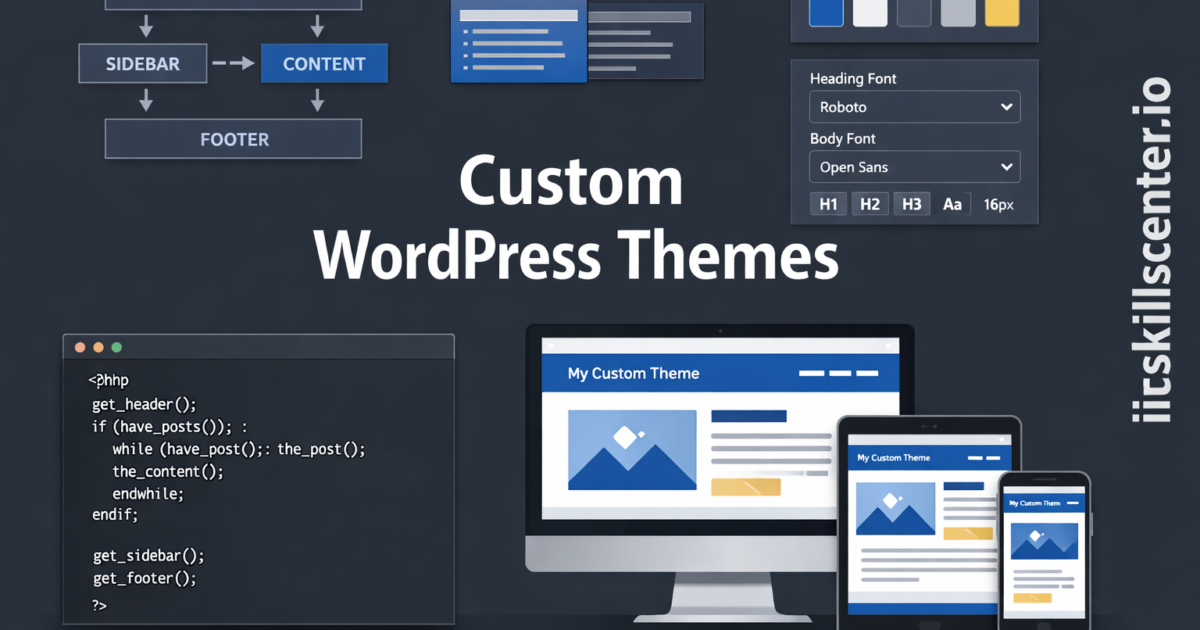
لماذا تبني قالب ووردبريس مخصص؟
القوالب الجاهزة جيدة للبداية، لكنها محدودة. بناء قالب مخصص يمنحك تحكماً كاملاً في التصميم والأداء.
هيكل القالب الأساسي
my-theme/
├── style.css          # معلومات القالب + CSS
├── functions.php      # وظائف القالب
├── index.php          # القالب الرئيسي
├── header.php         # الرأس
├── footer.php         # التذييل
├── sidebar.php        # الشريط الجانبي
├── single.php         # صفحة المقال
├── page.php           # صفحة عادية
├── archive.php        # الأرشيف
├── 404.php            # صفحة الخطأ
├── screenshot.png     # صورة القالب
└── assets/
    ├── css/
    ├── js/
    └── images/
ملف style.css
/*
Theme Name: قالبي المخصص
Theme URI: https://example.com
Author: اسمك
Description: قالب ووردبريس مخصص
Version: 1.0
Text Domain: my-theme
*/
ملف functions.php
<?php
// تفعيل ميزات القالب
function mytheme_setup() {
    add_theme_support('title-tag');
    add_theme_support('post-thumbnails');
    add_theme_support('custom-logo');
    add_theme_support('html5', array('search-form', 'comment-form'));
    register_nav_menus(array(
        'primary' => 'القائمة الرئيسية',
        'footer'  => 'قائمة التذييل'
    ));
}
add_action('after_setup_theme', 'mytheme_setup');

// تحميل CSS و JS
function mytheme_scripts() {
    wp_enqueue_style('mytheme-style', get_stylesheet_uri(), array(), '1.0');
    wp_enqueue_style('mytheme-custom', get_template_directory_uri() . '/assets/css/custom.css');
    wp_enqueue_script('mytheme-script', get_template_directory_uri() . '/assets/js/main.js', array(), '1.0', true);
}
add_action('wp_enqueue_scripts', 'mytheme_scripts');

// تسجيل Widget Area
function mytheme_widgets() {
    register_sidebar(array(
        'name' => 'الشريط الجانبي',
        'id'   => 'sidebar-1',
        'before_widget' => '<div class="widget">',
        'after_widget'  => '</div>',
    ));
}
add_action('widgets_init', 'mytheme_widgets');
ملف header.php
<!DOCTYPE html>
<html <?php language_attributes(); ?> dir="rtl">
<head>
    <meta charset="<?php bloginfo('charset'); ?>">
    <meta name="viewport" content="width=device-width, initial-scale=1.0">
    <?php wp_head(); ?>
</head>
<body <?php body_class(); ?>>
    <header class="site-header">
        <div class="logo">
            <?php the_custom_logo(); ?>
        </div>
        <nav>
            <?php wp_nav_menu(array('theme_location' => 'primary')); ?>
        </nav>
    </header>
حلقة ووردبريس (The Loop)
<!-- index.php -->
<?php get_header(); ?>

<main class="content">
    <?php if (have_posts()) : while (have_posts()) : the_post(); ?>
        <article class="post">
            <?php if (has_post_thumbnail()) : ?>
                <div class="post-thumbnail">
                    <?php the_post_thumbnail('medium_large'); ?>
                </div>
            <?php endif; ?>
            <h2><a href="<?php the_permalink(); ?>"><?php the_title(); ?></a></h2>
            <div class="post-meta">
                <?php echo get_the_date(); ?> | <?php the_category(', '); ?>
            </div>
            <div class="excerpt"><?php the_excerpt(); ?></div>
        </article>
    <?php endwhile; ?>
    <?php the_posts_pagination(); ?>
    <?php endif; ?>
</main>

<?php get_sidebar(); ?>
<?php get_footer(); ?>
ملخص المهارات المكتسبة
- بناء هيكل قالب ووردبريس من الصفر
- كتابة functions.php لتسجيل القوائم والـ Widgets
- استخدام حلقة ووردبريس لعرض المقالات
- تحميل CSS و JavaScript بشكل صحيح
الخطوة التالية: أضف single.php و page.php و 404.php، ثم خصص التصميم بـ CSS.